

I didn't study computer science. I did a science degree at the University of Waterloo. Biology, chemistry, physiology, statistics. I coded on the side because I liked it, not because it was required.
That combination turns out to be useful. Most of the problems I've solved with software are problems I ran into as a student or a person, not as a developer. The ideas don't come from reading Hacker News. They come from something breaking in my life and me being annoyed enough to fix it.
Notes you can see but can't touch
Course content at Waterloo lived on portals that weren't designed to be downloaded from. Crowdmark gave you a readable view of a marked-up assignment. The chemistry department posted lecture notes as HTML pages, not PDFs. Some platforms used canvas rendering specifically to prevent selection. The content existed on screen. Getting it anywhere else required either photographing your monitor or accepting that you just couldn't.
I spent a semester doing screenshotting by hand and stitching images together in Preview. It was slow and the results were ugly. That was the motivation for Quilt, a macOS app that captures scrolling windows into a single stitched image, using Vision framework to align frames pixel-accurately regardless of scroll speed.
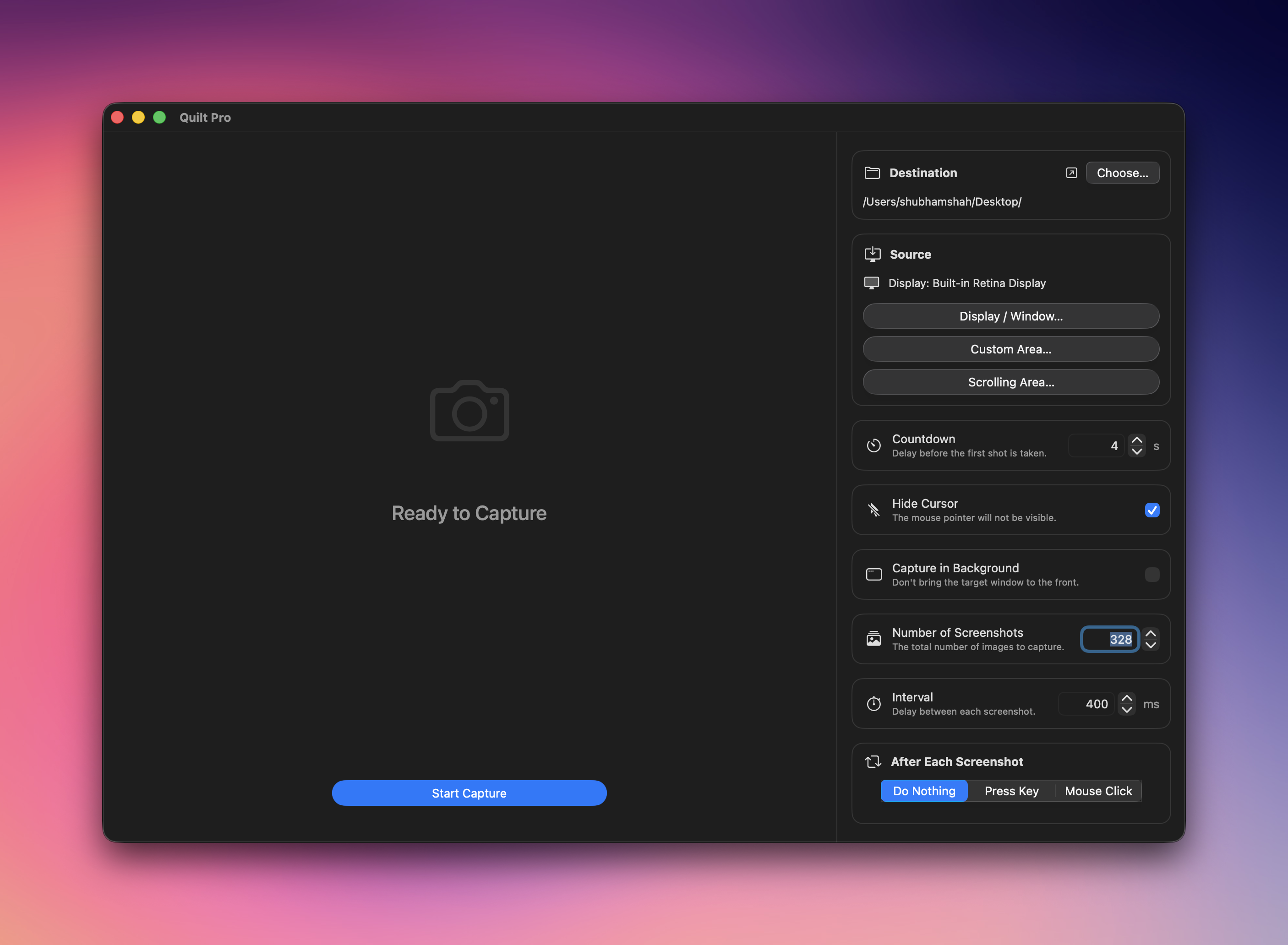
The thing I keep noticing about that class of problem is how mundane the actual fix is. It's not a novel algorithm. The content is visible on screen, so you use ScreenCaptureKit, capture it, and align the frames. A year later hundreds of people use Quilt every week. The problem was common, the tool to fix it existed, and nobody had built the obvious thing.
Gas prices you have to dig for
Finding the cheapest nearby petrol station before FuelUp meant either using an app that required a login, squinting at a map layer inside Google Maps, or just driving past a few stations to compare. It was a friction problem more than an information problem. The data existed, but it was scattered and slow to access.
FuelUp's answer is one tap to a sorted list. No sign-in, no onboarding. The reason it works on Apple Watch, CarPlay, and in widgets is because those are the exact moments when a driver doesn't want to interact with their phone. The app being fast and present in the right contexts is the feature.
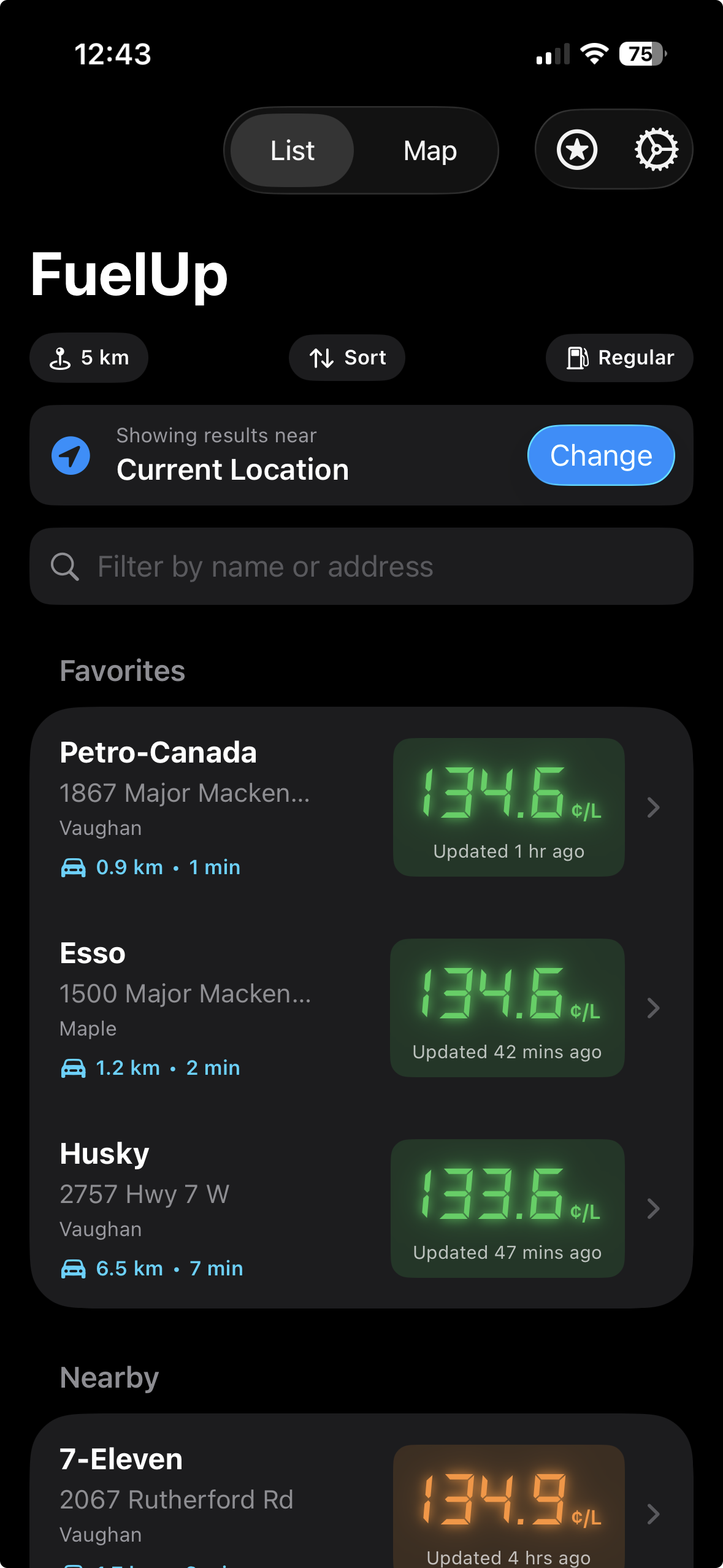
That's the version of the product idea I think about. Not just what the app does, but what context the user is in when they need it. A gas price app that opens in 0.3 seconds is a different product than one that takes three seconds, even if the data is identical.
The same friction, every single debugging session
If you do any kind of iOS development and you want to inspect your app's network traffic, you reach for a tool like Charles, mitmproxy, or Proxyman. These run on your Mac, intercept HTTP and HTTPS requests, and let you see exactly what your app is sending and receiving. They're indispensable.
Setting them up is a small ritual you repeat every single time. Find your Mac's local IP address. Open iOS Settings, go to Wi-Fi, tap the network, scroll to the proxy section, switch it to Manual, type in the IP, type in the port. Start debugging. Close the session. Go back and turn it off, because leaving a proxy configured that isn't running breaks all your network requests. Next session, do it again.
It's not a hard process. But it's tedious enough that you start skipping it, which means you stop inspecting traffic as often as you should, which means you miss things.
That's the problem ProxyTunnel solves. It's an iOS app for developers that stores your proxy configurations and connects to them with one tap using a local VPN tunnel built on NEPacketTunnelProvider. You set up Charles or mitmproxy on your Mac once. ProxyTunnel stores the host and port. From then on, debugging means opening the app, tapping connect, and getting to work. No Settings spelunking, no manual IP lookup, no forgetting to disconnect afterward.
The NEPacketTunnelProvider routes all device traffic through the tunnel at the OS level, so every app on the device goes through your proxy automatically. Same behavior as the manual Wi-Fi settings approach, with none of the ceremony.
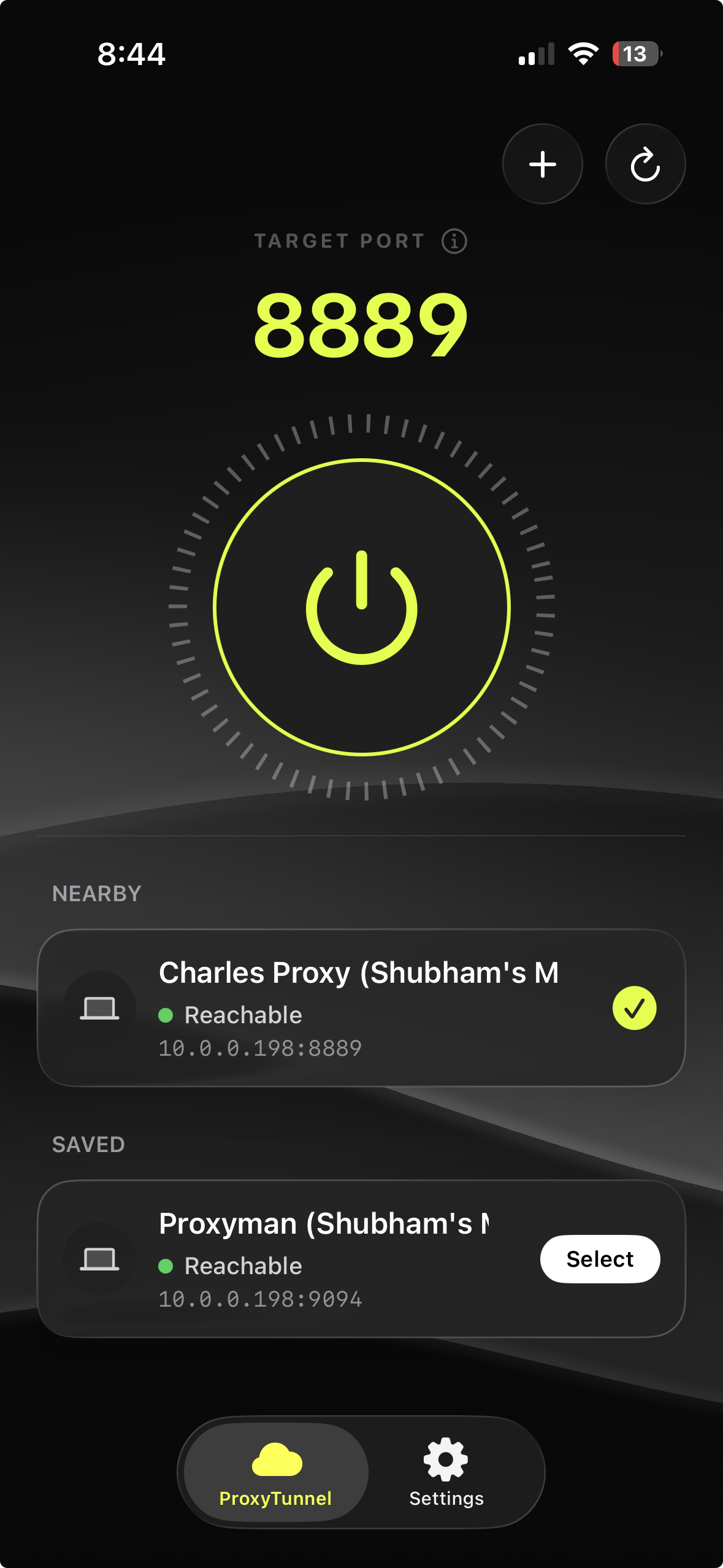
ProxyTunnel is on the App Store now. The Network Extension entitlement required careful justification, and Apple's review process for VPN-tunnel apps is thorough, but it cleared.
The ones that didn't make it
Not every idea works out. That's worth saying plainly, because the apps that ship are the only ones visible.
When Apple opened CarPlay to voice assistant apps, I built Shotgun. The pitch was simple. A CarPlay app that let you talk to any AI model you wanted (GPT, Grok, Claude, whatever) using your own API key. No subscription to the app, no data going through my servers. Just you, your keys, and a hands-free AI conversation while you drove. The CarPlay interface was purpose-built for it. A single large button, a clean waveform while you spoke, a readable response on screen. The app was fully complete.
Then the market moved faster than I could ship. OpenAI released their own CarPlay app. Grok followed. And then Apple announced that Siri on iOS 27 would natively handle AI queries across the system, CarPlay included. The problem Shotgun was solving disappeared from underneath it.
There's no graceful way to frame that. The app works. The engineering is solid. The timing was wrong. A more established company can absorb that kind of outcome because they have other products carrying the weight. As an indie developer, a fully-built app that the market no longer needs is just a sunk cost you have to make peace with.
What I took from it is that timing is a real factor that sits outside your control. You can build the right thing and still lose if a platform owner decides to absorb the same idea into the OS. The only partial hedge against that is to build in spaces where the large players don't have an obvious incentive to go, which is most of what keeps me focused on utility apps and tools rather than features that read like items on Apple's roadmap.
The pattern I keep coming back to
Every app I've shipped started from the same place. A thing I tried to do, a piece of friction I ran into, and a question of whether software could remove it. The answer is usually yes. The harder question is whether removing that friction is worth the engineering time, and whether enough other people have the same problem.
The filter I use is simple. If I would have paid for this two years ago, it's probably worth building. If I would have used it daily, it's definitely worth building. Quilt and FuelUp both cleared that bar easily. So did Twick, WhatWord, and ProxyTunnel.
The ideas I skip are the ones where I'd use it once and forget about it, or where the real solution is just a Settings toggle I hadn't found yet. Software you build for a real daily need tends to get finished. Software you build because it sounds interesting tends to sit in a folder at 60%.